Multi-Criteria Reviews
Pro feature. Available in Listora Pro.
Availability: Pro only. Requires Listora Pro. Free sites use single overall star ratings.
What it does
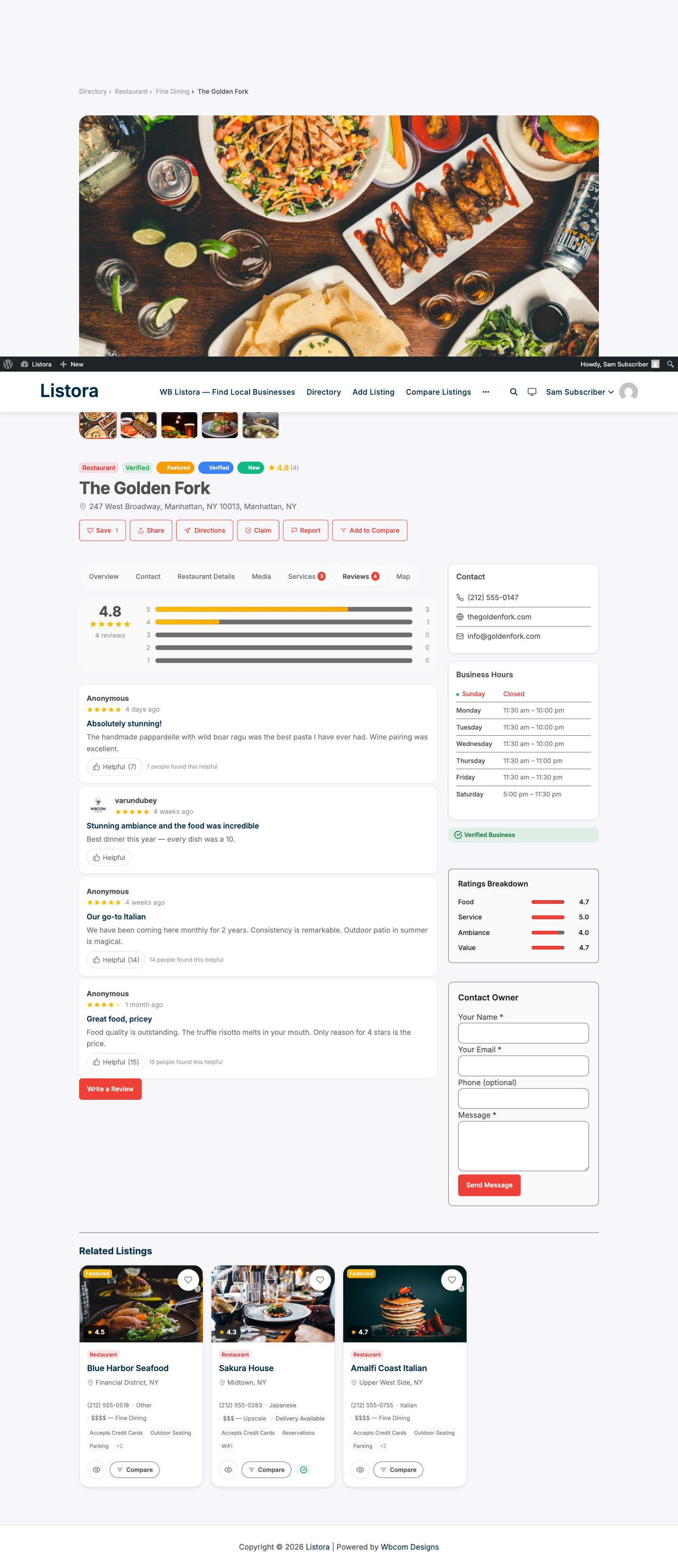
Multi-criteria reviews let visitors rate a listing on several specific aspects instead of a single overall star. Each listing type gets its own set of rating criteria. Averages per criterion appear on the listing detail page alongside the overall rating.
Why you'd use it
- Criteria-specific ratings give visitors more useful information when choosing a business (e.g., a restaurant rated 4/5 for food but 2/5 for service tells a clearer story).
- Different listing types get relevant criteria - restaurant visitors rate food quality, hotel guests rate room cleanliness.
- The overall rating is still displayed; criteria ratings are additive, not replacements.
- Criteria averages appear directly on the listing detail page without any setup from the listing owner.
How to use it
For site owners (admin steps)
Multi-criteria reviews are enabled automatically when Listora Pro is active. No toggle required.
The default criteria per listing type are:
| Listing Type | Criteria |
|---|---|
| Restaurant | Food, Service, Ambiance, Value |
| Hotel | Rooms, Cleanliness, Service, Location, Value |
| Healthcare | Expertise, Bedside Manner, Wait Time, Staff |
| All other types | Quality, Service, Value for Money |
To customize criteria for a listing type, use the wb_listora_review_criteria filter in a custom plugin or your theme's functions.php:
add_filter( 'wb_listora_review_criteria', function( $criteria, $type_slug ) {
if ( 'gym' === $type_slug ) {
return array(
array( 'key' => 'equipment', 'label' => 'Equipment' ),
array( 'key' => 'cleanliness', 'label' => 'Cleanliness' ),
array( 'key' => 'staff', 'label' => 'Staff' ),
);
}
return $criteria;
}, 10, 2 );
For end users (visitor/user-facing)
- Navigate to a listing detail page and click Write a Review.
- After the overall star rating, a set of criteria sliders or star inputs appears - one per criterion for that listing type.
- Rate each criterion (1-5 stars).
- Complete the review text and submit.
On the listing detail page, visitors see a Ratings breakdown section showing the average score for each criterion, displayed as a bar chart or star summary.
Each individual review also shows the stars that reviewer gave for every criterion (for example Food, Service, Ambiance, Value) beneath its text. Only criteria the listing type still has are shown, in the type's order, so removing a criterion hides it from older reviews too. Moderators see the same breakdown under Read full review in Listora → Reviews.
Tips
- Keep criteria to 4-5 per type. More than 5 makes the review form feel long and reduces submission rates.
- Criteria averages are calculated across all approved reviews for a listing. A listing needs at least a few reviews before the averages are meaningful.
- The
wb_listora_review_criteriafilter receives the listing type slug - use it to define unique criteria for each custom type you create. - Criteria data is stored as review meta in the
listora_reviewstable. It is included in the REST response for reviews. - Criteria labels are translatable - wrap custom labels in
__( 'Label', 'your-textdomain' )in your filter callback.
Common issues
| Symptom | Fix |
|---|---|
| Criteria not appearing in review form | Confirm Listora Pro is active; criteria only load when Pro is enabled |
| Averages not showing on listing page | The listing needs at least one approved review with criteria ratings |
| Custom criteria not applying | Verify the type slug in your filter matches exactly - use the slug shown in Listora → Listing Types |