Search Settings
Search Settings
There is no Search tab in Listora > Settings. The options that shape search live in four other places. This page lists each one.
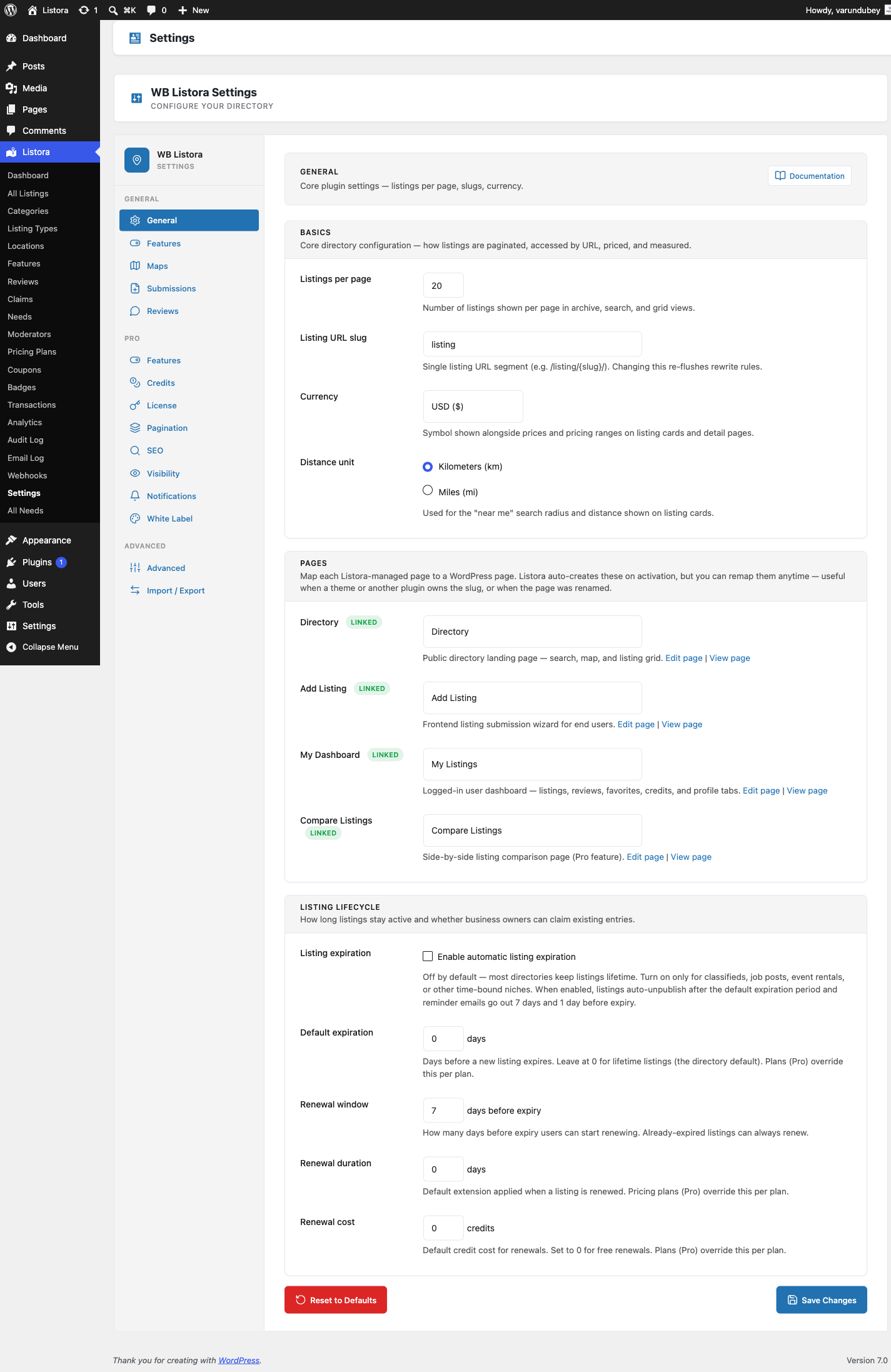
Listings per page
- Go to Listora > Settings > General.
- In Basics, set Listings per page. It can be 1 to 100. The default is 20.
- Click Save Changes.
This is the page size for archive, search and grid views. A Listing Grid block can override it with its own Per Page value. Leave that empty to follow this setting.
Distance unit
- Go to Listora > Settings > General.
- In Basics, choose Kilometers (km) or Miles (mi) under Distance unit.
- Click Save Changes.
It sets the unit for the distance shown on listing cards and in search results.
Default sort
Default sort is set on the block, not in Settings.
- Open the page with the Listing Search block in the block editor and select the block.
- In the sidebar, open Search Settings.
- Choose Default Sort: Featured (the default), Newest, Rating, Distance or Relevance.
- Update the page.
Visitors can still change the order with the sort list above the grid. See Search and Filters.
Search index
Listora keeps a separate search table so searches stay fast. It updates when a listing is created, edited or deleted. To rebuild it by hand:
- Go to Listora > Settings > Advanced.
- In Maintenance, click Rebuild Search Index.
You can also run wp listora reindex. Do this after a bulk import or after bulk edits. See Advanced Settings.
Search cache
Search results TTL and Facet counts TTL are on Listora > Settings > Advanced, under Cache. They set how many minutes search results and filter counts are kept. Set either to 0 to turn that cache off.
What you cannot set
These have no setting today:
- A default radius for Near Me searches. It is fixed.
- A switch for search suggestions. They show as visitors type.