Draft Reminder
Availability: Free + Pro.
Recover incomplete listing submissions automatically. When someone starts the Add Listing wizard, saves a draft, and walks away without finishing - the plugin sends a friendly reminder email 24 hours later with a one-click link back to where they left off. Twice-daily cron sweeps catch every stale draft; opt-out per user is respected.
What it is
Listing submission is multi-step (Type → Basics → Details → Media → Preview → Submit). Real submitters get interrupted, switch tabs, lose focus. Without nudging, a meaningful share of started drafts are never completed.
Draft Reminder is a tiny, reliable recovery system:
- Cron event -
wb_listora_draft_reminder_cronruns twice daily via Action Scheduler (groupwb-listora). - Sweep logic - queries
wp_postsforlistora_listingrows withpost_status = 'draft'that haven't been emailed yet, are older than the threshold (default 24h), and belong to a registered author (every submission requires a logged-in account, so a draft always has an owner to email). - Per-user state - each emailed draft is marked with a
_listora_draft_reminder_sentmeta flag, so a user gets one reminder per draft (not a daily stream). - Send path - fires
do_action( 'wb_listora_draft_reminder', $post_id )for each candidate;Notifications::draft_reminder()listens, builds the template variables, and sendstemplates/emails/draft-reminder.phpvia the same email infrastructure as every other notification. - Personalized CTA - the email's "Continue your listing" button deep-links to
/add-listing/?edit={post_id}so the wizard resumes at the same step. - Opt-out aware - respects the user's per-event notification preference (
should_send( 'draft_reminder', $user_id )); users who disabled drafts in their profile don't get a reminder. - Always a valid recipient - since submission requires a logged-in account (1.3.0), every draft is owned by a registered user, so there's always an address to send the reminder to.
The whole feature is one cron + one email template + a 50-line listener - Grade-A simplicity.
How you use it
As a site owner - no configuration needed
Draft Reminder is on by default. To verify:
- Check the cron is scheduled: WP Admin → Tools → Site Health → Info → Cron Events → look for
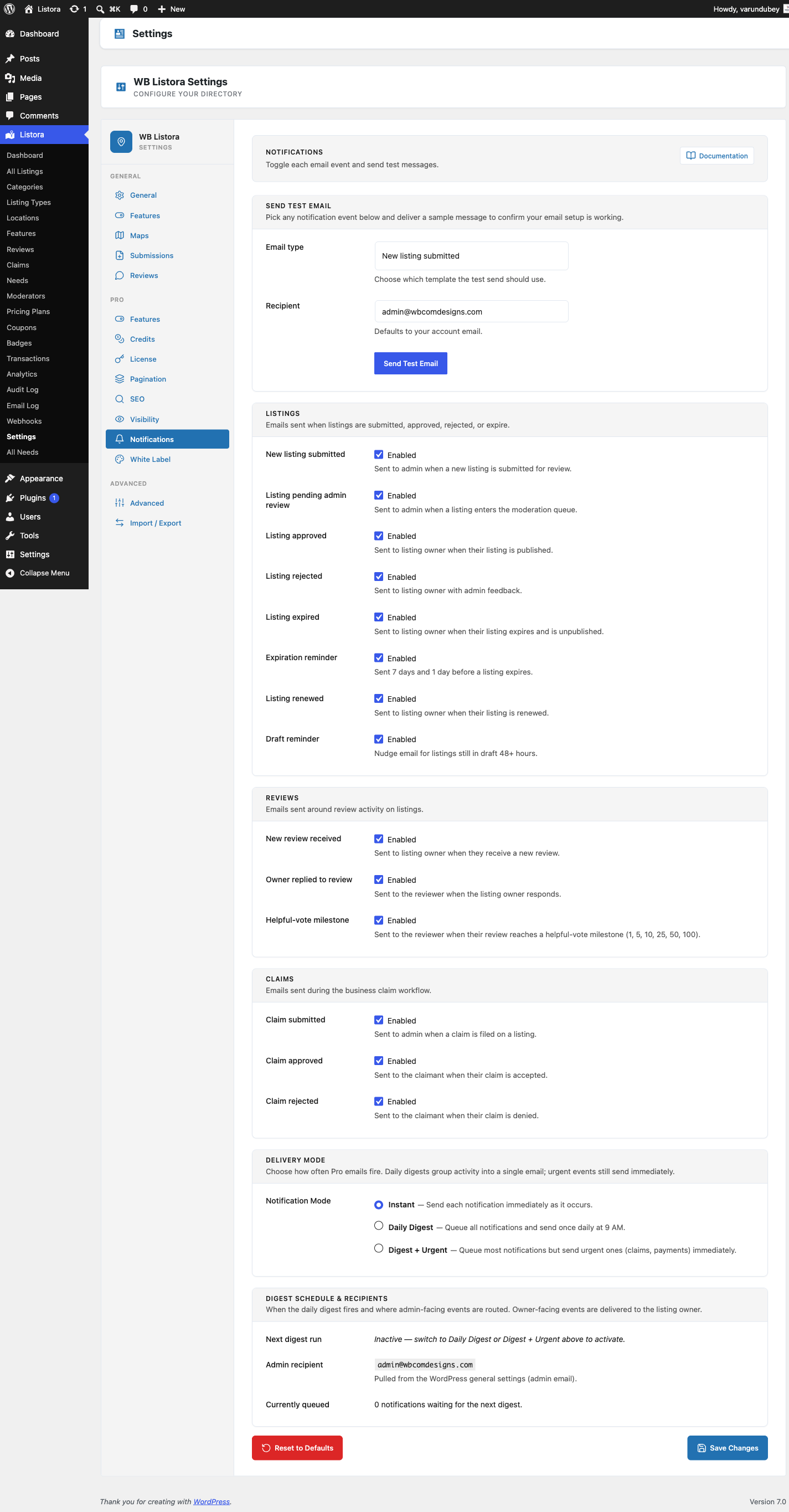
wb_listora_draft_reminder_cron(Action Scheduler runs it twice daily). - Trigger a test reminder: save a logged-in test user's listing as a draft; in Listora → Settings → Notifications, click Send Test → Draft Reminder. The reminder fires immediately to the user's email.
- Customize the template: copy
wb-listora/templates/emails/draft-reminder.phpto your theme at{theme}/wb-listora/emails/draft-reminder.phpand edit; the override wins. See Email Templates.
As a listing owner - what you see
If you start a submission and don't finish:
- Within 24 hours, you receive an email titled "Your listing is almost ready" (or your site's customized variant).
- The body summarizes what you'd entered (title, type, optional description excerpt) so you remember the context.
- The "Continue your listing" button opens
/add-listing/?edit={id}- the wizard resumes at the step you left off. - Once you finish OR delete the draft, no further reminders for that draft.
- To opt out of all draft reminders: visit your dashboard → Profile → Email preferences → uncheck Draft reminders.
Settings & options
| Setting | Location | Default | Notes |
|---|---|---|---|
| Feature | (always on) | On | Free - no toggle needed |
| Cron event | wb_listora_draft_reminder_cron |
Twice daily | Action Scheduler, group wb-listora |
| Reminder threshold | 24 hours after draft saved | (system) | Filterable via wb_listora_draft_reminder_threshold |
| Per-draft cap | 1 reminder per draft | (system) | _listora_draft_reminder_sent meta key gates re-sends |
| Per-user opt-out | Dashboard → Profile → Email prefs | Opted-in by default | Honored by should_send() |
| Template | wb-listora/templates/emails/draft-reminder.php |
- | Theme overridable per the Email Templates standard |
Developer hooks:
wb_listora_draft_reminder(action) - fires per candidate; listen for custom routing (Slack, in-app notification, SMS, etc.).wb_listora_draft_reminder_threshold(filter) - change the 24-hour threshold (in seconds).wb_listora_draft_reminder_query_args(filter) - modify the candidate query (e.g. exclude admins, limit to specific types).wb_listora_email_content_draft_reminder(filter) - modify the rendered HTML (subject/body/tone) without theme override.
Related
- Submitting a Listing - the wizard whose drafts this feature recovers.
- Email Templates - the unified email system this template lives in.
- User Dashboard - where users opt out of draft reminders + see/edit their drafts.
- Developer Reference: Hooks - the underlying action + filter signatures.