Coming Soon Mode
Pro feature. Available in Listora Pro.
Availability: Pro only. Requires Listora Pro. Free sites are always publicly visible once the directory page is published.
What it does
Coming Soon Mode hides your directory from the public while you set up content, configure settings, and import listings. Site owners retain full access. Visitors see a branded "Coming Soon" page instead of the directory.
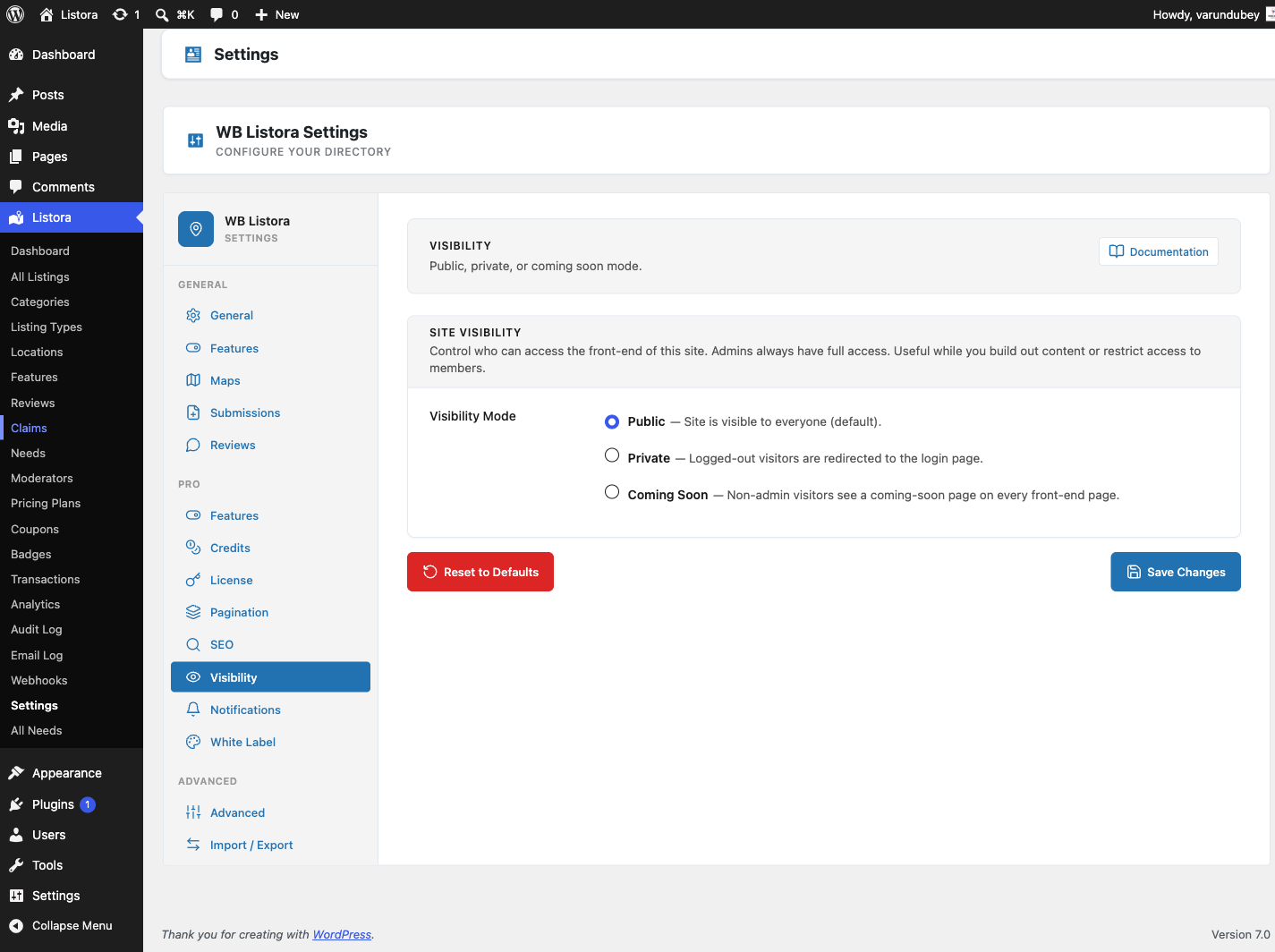
There is also a Private mode that requires visitors to be logged in - useful for members-only directories.
Why you'd use it
- Set up a complete directory before going public - no half-finished pages visible to visitors or search engines.
- The Coming Soon page is noindex by default, keeping your directory out of Google until it's ready.
- Private mode creates a gated directory accessible only to registered users.
- You can share a preview link with clients or stakeholders (by creating a user account) without making the directory public.
How to use it
For site owners (admin steps)
- Enable the feature first: Listora → Settings → Features → Visibility Modes / Coming Soon. The Visibility settings tab only appears once this toggle is on (since 1.1.0) - if you don't see the tab, the feature is off.
- Go to Listora → Settings → Visibility and find the Directory Visibility section.
- Choose a visibility mode:
- Public - the directory is visible to everyone (default).
- Coming Soon - visitors see a "Coming Soon" page; site owners see the full directory.
- Private - visitors who aren't logged in are redirected to the login page; logged-in users without directory access are redirected to the homepage.
- Save settings.
Who can bypass Coming Soon / Private mode:
Users with the manage_listora_settings capability (site owners and admins) see the full directory regardless of visibility mode.
The Coming Soon page:
The built-in Coming Soon page shows your site name and a "We're almost ready" message. It includes a noindex, nofollow meta tag to prevent search engine indexing, and the splash supports dark mode (since 1.1.0) - it follows the visitor's prefers-color-scheme setting.
To customize the Coming Soon page:
Override the template at {theme}/wb-listora/coming-soon.php. Copy the template from the Pro plugin's templates/coming-soon.php as a starting point.
Switching back to public:
Change Directory Visibility back to Public and save. The directory is immediately accessible to all visitors.
For end users (visitor/user-facing)
In Coming Soon mode, visitors to any listing URL, listing archive, or taxonomy page see the Coming Soon page.
In Private mode, visitors are redirected to the WordPress login page. After logging in, they are sent back to the page they requested.
Tips
- Use Coming Soon mode during a migration from another directory plugin. Import and verify all content before going public.
- The Coming Soon page does not affect your site's regular WordPress pages - only directory pages (listing URLs, archives, and taxonomy pages) are intercepted.
- Give clients or reviewers a temporary WordPress account with the Subscriber role to preview the directory in Coming Soon mode without granting admin access.
- Switch to Public mode at a specific date and time by scheduling it manually - Coming Soon has no built-in countdown timer, but you can schedule an admin task or use a WordPress scheduler plugin.
- Private mode requires
read_listora_listingscapability for access. This capability is granted to all logged-in WordPress users by default.
Common issues
| Symptom | Fix |
|---|---|
| Admin still seeing Coming Soon page | Confirm your user account has the manage_listora_settings capability - Administrators have it by default |
| Regular site pages showing Coming Soon | Coming Soon only affects listing pages - if other pages are affected, check for a conflicting plugin |
| Coming Soon page not showing your site name | Ensure your site name is set under Settings → General → Site Title |
| Google still indexing the directory | Coming Soon adds noindex to the page; it may take Google several weeks to deindex existing pages |