Spam Protection
Availability: Free + Pro.
Layered defence against spam submissions, fake reviews, and abusive claims - honeypot + per-IP rate limit + CAPTCHA (reCAPTCHA v3 or Cloudflare Turnstile) + Akismet integration + keyword blacklist + URL-density cap. All layers are independent; spam has to defeat every one to land. Defaults work out of the box; tune the layers individually for your audience.
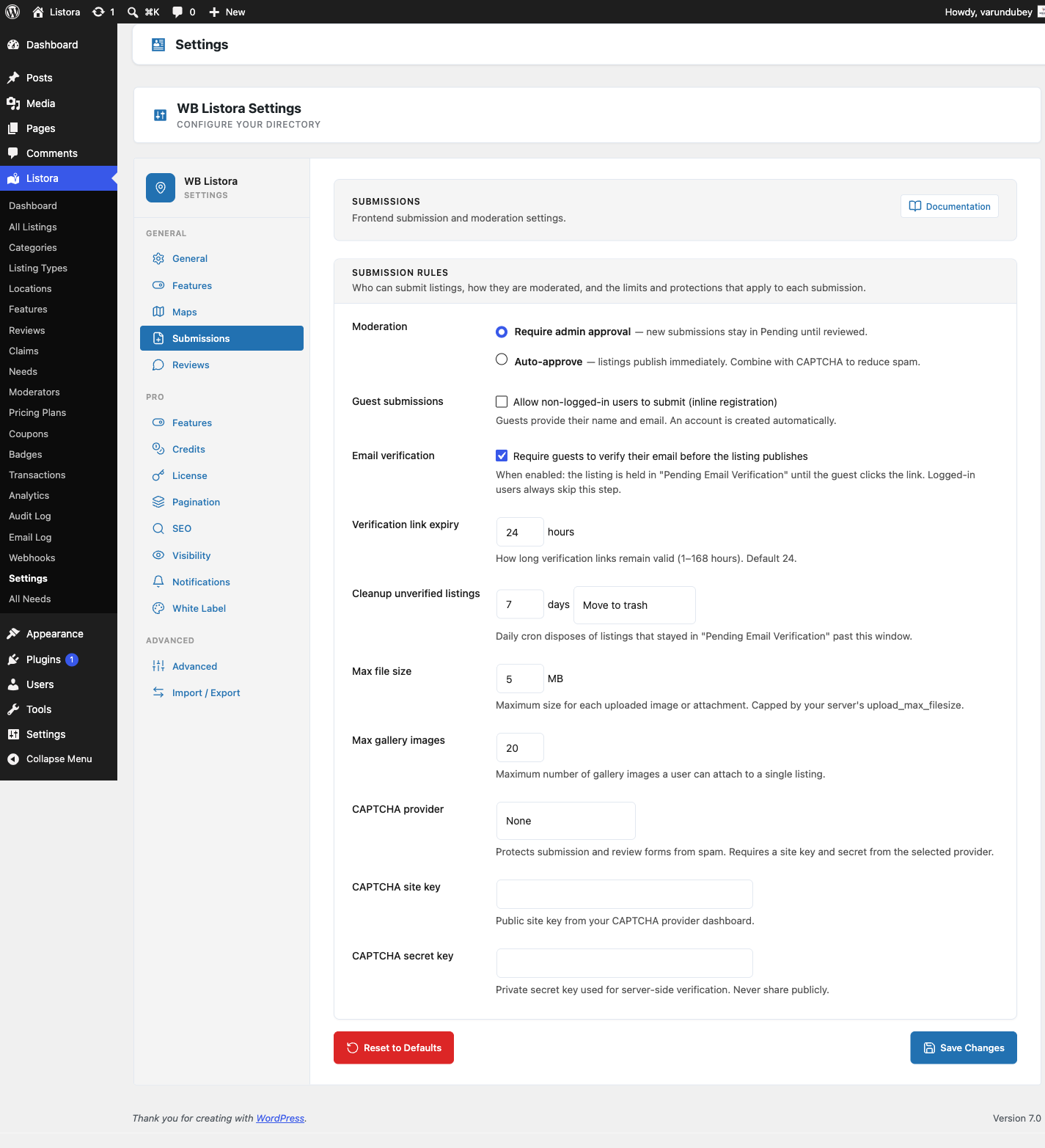
What it is
Public submission surfaces in a directory (Add Listing, Reviews, Claims, Contact-owner forms) attract spam - there's no way around it. Listora ships a defence-in-depth model: 6 independent layers, any of which can reject a submission. A single layer's failure mode doesn't open the floodgates.
The 6 layers, in order from cheapest to costliest:
Honeypot field (Free, on by default) - a visually-hidden input named
listora_hp_field. Real users leave it blank; spam bots fill every input. Submissions where it's filled get rejected immediately, no DB write. Costs zero per submission.Rate limiting per IP (Free, on by default) - sliding-window rate limit on
POST /listora/v1/submit,/reviews,/claims, and/listings/{id}/contact-form. Defaults: 3 submissions per hour per listing per IP; 20 per day per listing; configurable per endpoint. Backed by awp_optionsring buffer (no extra tables).CAPTCHA (Free, off by default) - choose reCAPTCHA v3 or Cloudflare Turnstile from Settings → Security → CAPTCHA. Both are invisible (no checkbox interruption). Turnstile is recommended for GDPR-conscious sites since it doesn't track users. CAPTCHA gates submission, review, and claim endpoints.
Akismet integration (Free, on by default if Akismet is active) - review content + claim explanations are checked via Akismet's
comment-checkAPI. Akismet decisions: ham (allow), spam (reject), unsure (queue for moderation). Falls open if Akismet is unreachable.Keyword blacklist (Free) - Settings → Security → Banned Words. Comma-separated list; any submission containing any word is rejected. Comparison is case-insensitive, word-boundary-aware.
URL density cap (Free) - per-event maximum number of URLs in submission text fields. Default: 2 URLs per review, 3 URLs per claim explanation. Submissions over the cap are rejected. Tunable per event via
wb_listora_url_density_maxfilter.
CAPTCHA-bypass for legitimate non-browser clients:
- WP-CLI (
if ( defined( 'WP_CLI' ) && WP_CLI )→ bypass) - WP-Cron (
if ( defined( 'DOING_CRON' ) && DOING_CRON )→ bypass) - Authenticated REST (
if ( REST_REQUEST && is_user_logged_in() )→ bypass - the app's authentication is the gate)
This is the function listora_should_skip_captcha() documented in the REST contract.
How you use it
As a site owner - turn each layer on
- Honeypot - already on; no action needed.
- Rate limiting - already on with defaults; tune in Settings → Security → Rate Limits if needed.
- CAPTCHA:
- Pick a provider: Settings → Security → CAPTCHA Provider → reCAPTCHA v3 / Cloudflare Turnstile / None.
- Paste the site + secret keys from the provider's dashboard.
- Pick which forms it gates: Listing Submission / Reviews / Claims / Contact (each independently toggleable).
- Akismet - install + activate the official Akismet plugin from WP.org. As soon as it's active with a valid key, Listora auto-detects it and starts checking review content + claim explanations.
- Keyword blacklist - Settings → Security → Banned Words → enter comma-separated list. Updates apply immediately, no flush needed.
- URL density cap - Settings → Security → Max URLs per event → set per-event caps.
Monitoring how spam attempts are doing
- Audit Log (Pro) records every spam rejection with the reason (honeypot / rate-limit / captcha / akismet / blacklist / url-density).
- Settings → Security → Recent Rejections shows the last 50 rejected attempts with timestamp + IP + reason.
Settings & options
| Layer | Default | Where to tune |
|---|---|---|
| Honeypot | On | (no setting - built in) |
| Rate limit | 3/hr per IP per endpoint | Settings → Security → Rate Limits |
| CAPTCHA | Off | Settings → Security → CAPTCHA |
| Akismet | Auto-on if Akismet active | (handled by Akismet plugin) |
| Keyword blacklist | Empty | Settings → Security → Banned Words |
| URL density | 2 URLs per review | Settings → Security → Max URLs |
| CAPTCHA bypass | WP-CLI / WP-Cron / authenticated REST | (built-in) |
Developer hooks:
wb_listora_anti_spam_check(filter) - return aWP_Errorto reject; receives$contextwith the submission data, IP, user.wb_listora_should_skip_captcha(filter) - programmatically bypass CAPTCHA for a specific request.wb_listora_rate_limit_check(filter) - modify per-IP rate-limit results; useful for IP allowlists.wb_listora_url_density_max(filter) - change the URL-density cap per event.
Related
- Submission & Moderation Settings - where the toggles live.
- Moderation Queue - what to do with submissions that pass spam but need human review.
- Audit Log (Pro) - every rejection logged with reason for investigation.
- Rate Limiting & Abuse Controls - deeper dive into the rate-limit layer.