Digest Notifications
Pro feature. Available in Listora Pro.
Availability: Pro only. Requires Listora Pro. Free sites send all notification emails instantly as events occur.
What it does
By default, Listora sends each notification email immediately as events occur (a new review, a claim approval, a lead form submission). The Digest Notifications feature batches those emails into a daily summary instead - reducing inbox noise while ensuring nothing is missed.
Why you'd use it
- Business owners with active listings can receive many notifications per day. A single daily digest is less disruptive.
- Daily digests are easier to scan than individual emails scattered throughout the day.
- Urgent notifications (claims, payments) can still send immediately even when digest mode is active.
- You choose the mode per site - some directories benefit from instant alerts, others from digest.
How to use it
For site owners (admin steps)
- Enable the feature: Listora → Settings → Features → Notification Digest. The Notifications settings tab only appears once this toggle is on.
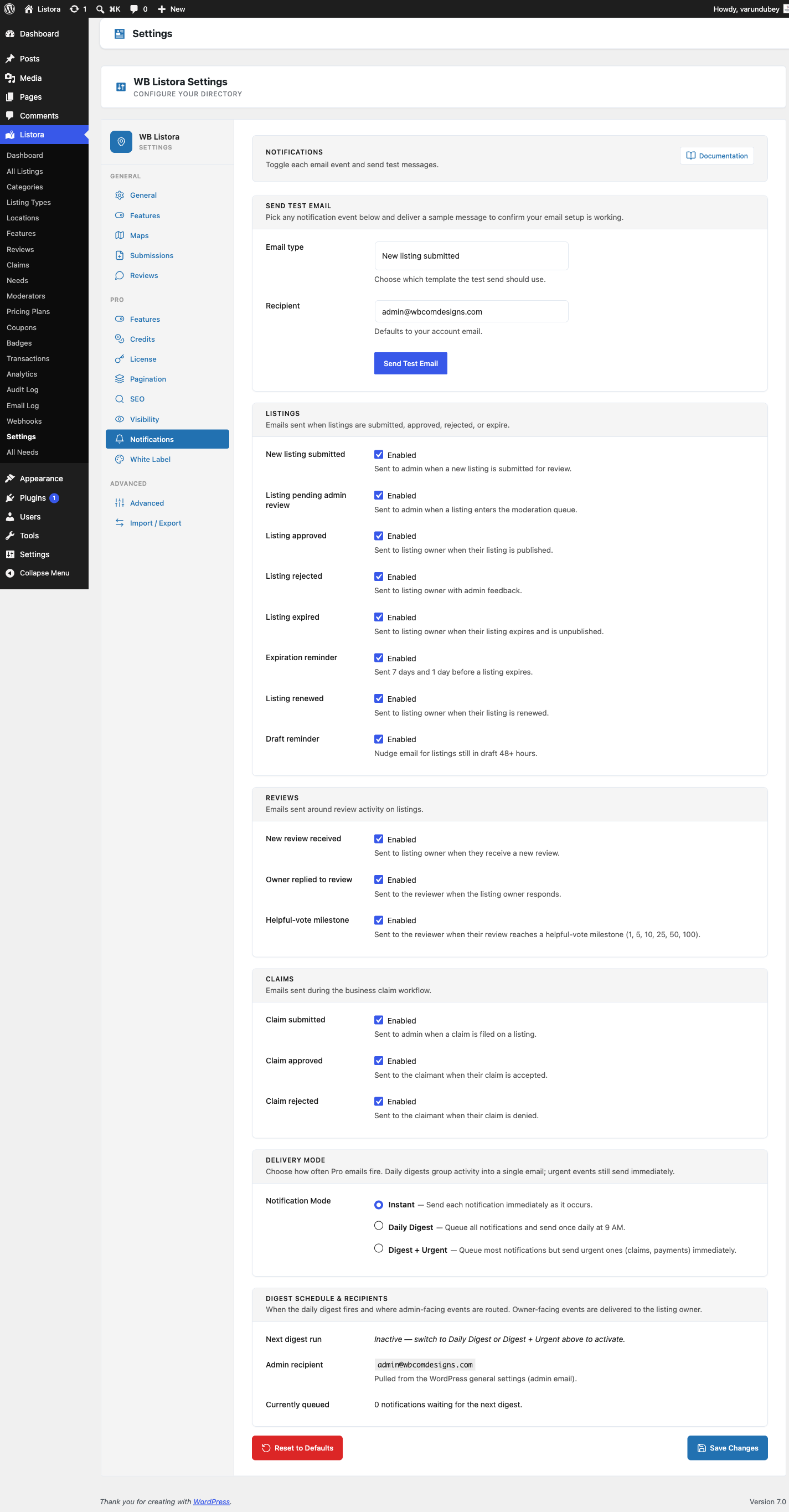
- Go to Listora → Settings → Notifications and find the notification-mode setting.
- Choose a notification mode:
- Instant - every notification sends immediately as it occurs (default).
- Daily Digest - all notifications are queued and sent once per day at 9 AM (server time).
- Digest + Urgent - queues most notifications as a daily digest, but sends urgent ones (claims, payments) immediately.
- Save settings.
How the digest is sent:
A WordPress cron event runs daily at 9 AM. It collects all queued notifications for each recipient, combines them into a single digest email, and sends it. The queue is cleared after sending. Since 1.1.0 review notifications are no longer dropped from the digest, and each queued notification stores its recipient address so owner digests always send to the right person.
Email template: The digest uses the template at templates/emails/digest.php. Override it at {theme}/wb-listora/emails/digest.php for custom branding.
For end users (visitor/user-facing)
Digest mode is a site-wide setting controlled by the site owner. Individual users cannot change their own notification frequency - this is a single mode applied to all recipients.
When a user receives a digest email, it lists all notifications from the previous 24 hours grouped by type (new reviews, claim updates, lead form messages, saved search matches).
Tips
- Instant mode is best for directories where business owners expect real-time updates (e.g., a local services directory where a lead form response needs to be answered within hours).
- Digest + Urgent is the recommended mode for most directories - it reduces noise while ensuring claim and payment events get through immediately.
- The digest runs at 9 AM server time. Check your WordPress timezone setting under Settings → General to ensure 9 AM corresponds to a reasonable time for your audience.
- If WordPress cron is unreliable on your host, consider using a real cron job via cPanel or your host's task scheduler to trigger
wp-cron.phpat 9 AM. - The notification queue is stored in the
wb_listora_pro_notification_queueWordPress option. Do not manually modify this option.
Common issues
| Symptom | Fix |
|---|---|
| Digest not sending | Verify WordPress cron is running with WP Crontrol; check for the wb_listora_pro_send_digest event |
| Digests arriving at wrong time | Check Settings → General → Timezone - cron runs in server time, not necessarily your local time |
| Individual emails still sending in Digest mode | Confirm you saved the notification mode setting; a page cache may be serving the old settings page |
| Urgent emails not sending immediately in Digest + Urgent mode | Confirm the event type is classified as urgent - claims and payments are urgent by default |