Rate Limiting & Abuse Controls
Availability: Free + Pro.
Per-IP sliding-window rate limits on every write-side public endpoint so a single bad actor can't flood your directory with submissions, reviews, claims, or contact-form spam. Sensible defaults; tunable per endpoint; honors authenticated REST requests (apps are gated by their auth token, not by IP).
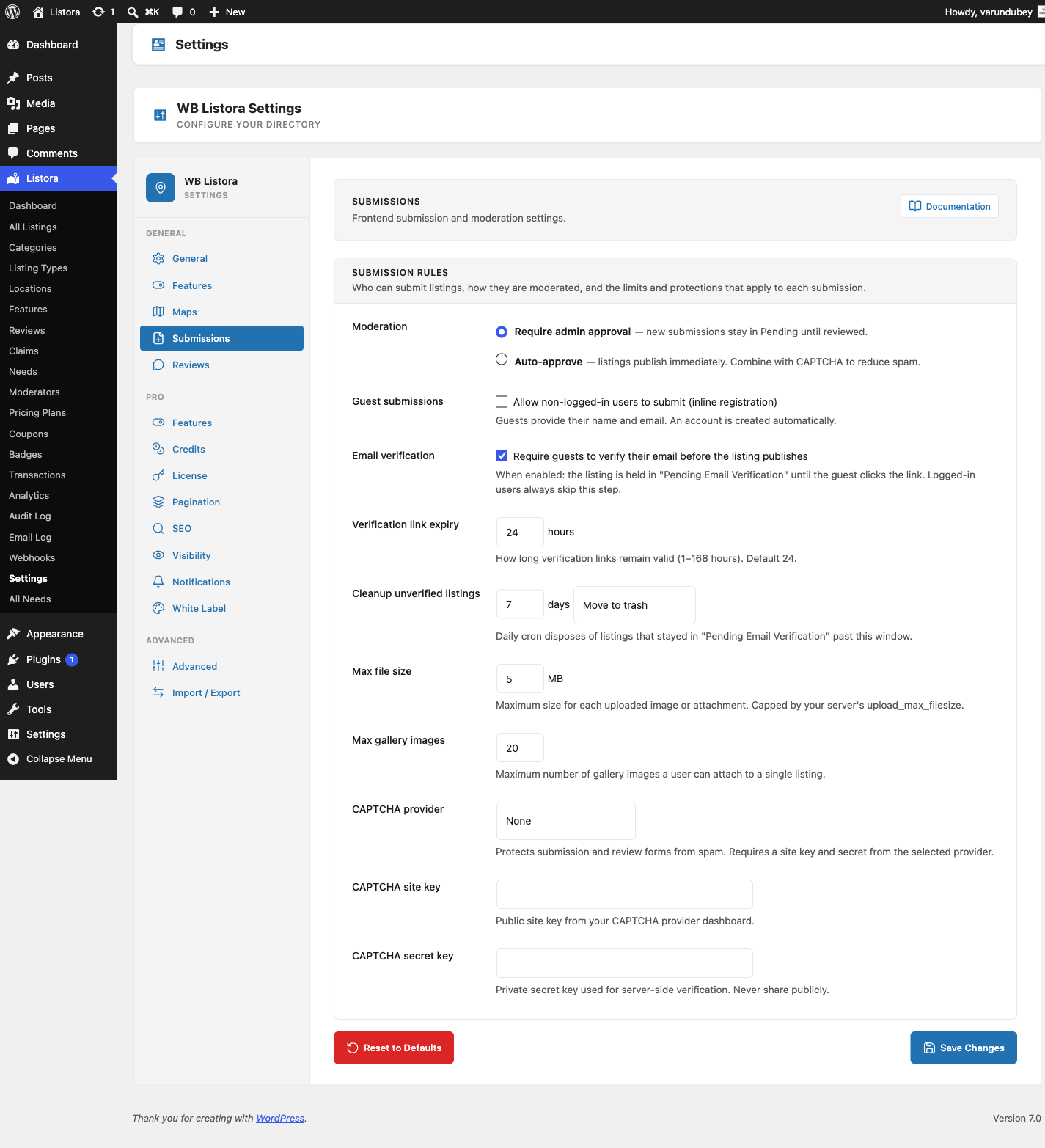
What it is
Spam protection works at the form level; rate limiting works at the request level - and they reinforce each other. Even with CAPTCHA + honeypot + Akismet rejecting individual submissions, an attacker who finds a hole can still flood your moderation queue if there's no per-IP cap.
Listora's rate limiter:
- Sliding-window counter per IP per endpoint - kept in
wp_optionsas a tiny per-IP/per-endpoint ring buffer; expires automatically. - Per-endpoint cap + window - defaults tuned for the action's natural cadence:
| Endpoint | Default cap | Window | Why |
|---|---|---|---|
POST /listora/v1/submit |
5 | 1 hour | Even a power-user adds 5 listings/hr at most |
POST /listora/v1/listings/{id}/reviews |
3 | 1 hour | Reviewing 3 places an hour is plausible |
POST /listora/v1/claims |
3 | 1 day | Claims are rare actions |
POST /listora/v1/listings/{id}/contact-form |
3 per listing | 1 hour | Per-listing window - a visitor inquiring about one business |
POST /listora/v1/listings/{id}/contact-form |
20 per listing | 1 day | Daily cap independent of hourly |
POST /listora/v1/submission/check-duplicate |
30 | 1 hour | Duplicate check fires per wizard step |
POST /listora/v1/search/suggest |
60 | 1 hour | Autocomplete fires per keystroke (debounced client-side) |
- IP resolution - uses
REMOTE_ADDRby default, with optionalX-Forwarded-For/CF-Connecting-IPhonoring when the site is behind a known proxy (configured in Settings → Security → Trusted Proxies). - Authenticated REST bypass - requests with a valid user session (cookies + nonce) OR a valid app password bypass IP limits. Apps and logged-in users are gated by their auth, not by IP - preventing legitimate-app-on-shared-WiFi false positives.
- WP-CLI bypass - CLI commands always bypass; same logic as the CAPTCHA bypass helper.
When a request hits the cap:
429 Too Many Requestsresponse with aRetry-Afterheader.- Body is a structured
WP_Errorwith codelistora_rate_limitedso clients can render friendly UX. - The rejection is recorded in Audit Log (Pro) for repeated abusers.
Public read endpoints (Pro)
Write-side limits stop floods of new content; since 1.1.0 Listora Pro also throttles its public read-only REST endpoints so a crawler hitting them in a tight loop can't drive runaway WP_Query load. The endpoints are intentionally public (credit packs, pricing plans, needs feed, comparisons, service search, badges) - the limiter sits in front of them as a per-IP request cap.
- Default cap: 60 requests per IP per minute, per endpoint group. A real visitor browsing the directory fires only a handful of these reads per minute; automation blows straight past it.
- Fail-open: if no client IP resolves or the transient/object cache is unavailable, the request is allowed through - the limiter never blocks legitimate traffic because of an infrastructure gap.
- Logged-in / authenticated requests are gated by their session, the same as the write-side limits.
Developer filters:
wb_listora_pro_public_rest_rate_limit(filter) - override the per-minute cap per endpoint group. Return0or a negative value to disable throttling for that group.wb_listora_pro_public_rest_rate_limit_bypass(filter) - returntrueto skip the check for trusted contexts (internal cron, CLI, integration tests).
How you use it
As a site owner - defaults work; tune if needed
- Verify the limiter is on: Listora → Settings → Security → Rate Limits. Each endpoint shows its current cap + window.
- Tighten caps if you're being targeted: lower the per-IP per-hour cap on Submissions to 2 (or 1). High-value endpoints can go very tight.
- Loosen caps for trusted scenarios: e.g. allow more contact-form sends per listing per day if your directory is service-marketplace style.
- Trusted proxies: if your site is behind Cloudflare/Fastly/a custom CDN, add the proxy's IP range to Trusted Proxies so the limiter reads
X-Forwarded-Forcorrectly instead of seeing every request as the proxy's IP (which would cap to nothing). - IP allowlist (advanced): Settings → Security → IP Allowlist - add IPs that bypass all rate limits (your office, your monitoring service).
As a developer - react to rate-limit decisions
wb_listora_rate_limit_check(filter) - returnWP_Errorto reject earlier, or returnnullto allow; receives$endpoint,$ip,$user_id,$current_count.wb_listora_rate_limit_cap(filter) - programmatically override the cap per endpoint per request (e.g. higher cap for VIP users).wb_listora_rate_limit_window(filter) - override the window (in seconds).wb_listora_rate_limit_exceeded(action) - fires when a request is rejected; useful for alerting on sustained abuse.
Settings & options
| Setting | Location | Default |
|---|---|---|
| Per-endpoint caps + windows | Settings → Security → Rate Limits | See table above |
| Trusted proxies | Settings → Security → Trusted Proxies | (none) |
| IP allowlist | Settings → Security → IP Allowlist | (none) |
| Authenticated REST bypass | (built-in) | On |
| WP-CLI bypass | (built-in) | On |
| Rejection logging | Audit Log (Pro) when Pro is active | On |
Related
- Spam Protection - layered defence that pairs with rate limits.
- Submission & Moderation Settings - the broader form-protection toggles.
- Audit Log (Pro) - every rate-limited rejection logged.
- Developer Reference: REST API - rate-limit headers + WP_Error contract.