BuddyPress Integration
Pro feature. Available in Listora Pro.
Availability: Pro only. Requires Listora Pro plus BuddyPress (or BuddyBoss) active.
Turn a one-way business directory into a two-way community. When BuddyPress is active, Listora Pro automatically posts listing activity to BP activity streams, sends BP notifications, adds a "My Listings" tab to BP member profiles, and links review/claim activity to the actor's BP profile - so a directory site that already runs on BuddyPress feels native, not bolted on.
What it is
A common Wbcom stack pairs a directory with a community plugin - most often BuddyPress (or BuddyBoss). Without integration, the two systems live side by side but don't talk: a member submits a listing and their BP friends never hear about it; a review is posted and the listing owner has to email-check to find out. BuddyPress Integration closes that gap.
When BuddyPress is detected, the feature wires in:
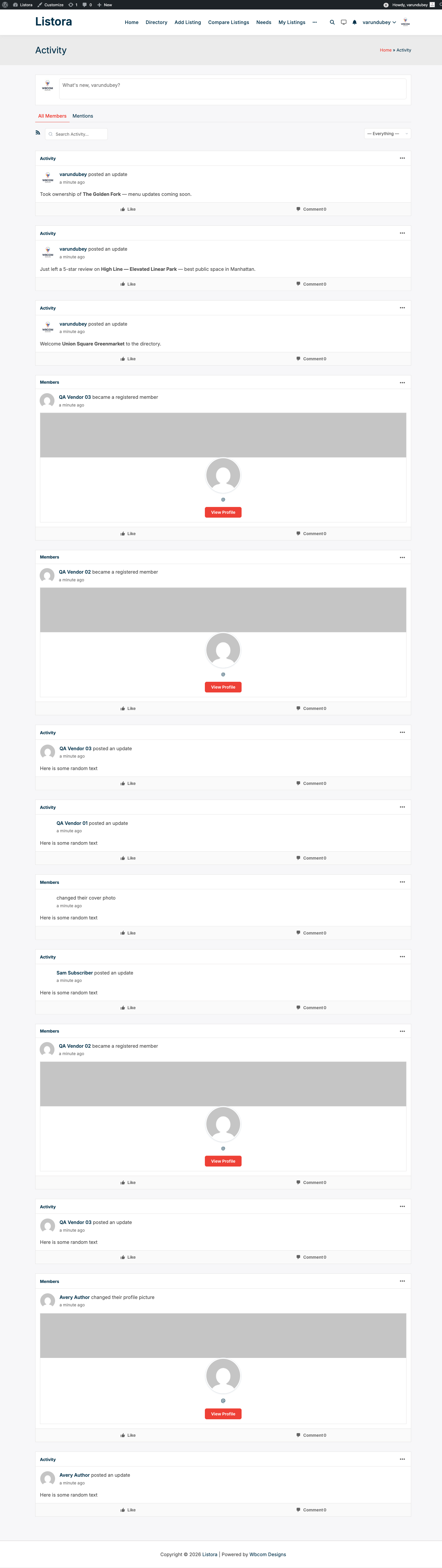
- Activity stream entries for three lifecycle events:
- A new listing is published (
activity_listing_publishedonwb_listora_listing_submitted) - A review is posted on a listing (
activity_review_postedonwb_listora_review_submitted) - A claim is approved (
activity_claim_approvedonwb_listora_claim_approved) - BP notifications (when the BP notifications component is active):
- Owners are notified when a new review lands on their listing
- Submitters are notified when their listing is approved (or rejected)
- Claimants are notified when their claim is approved
- Listings and Reviews sub-navs on BP member profiles (under the user's profile) that list everything the member owns or has reviewed - so a member's friends can browse what they've published without leaving BuddyPress. Since 1.1.0 both tabs are paginated, so members with many listings or reviews load in pages instead of one large query.
- Profile-linked review authors - review author names in the Listora UI link to the reviewer's BP profile (via the
wb_listora_member_profile_urlfilter Free fires). - Notification formatting for the BP-standard notifications UI, so Listora notifications appear alongside friend requests, mentions, etc. in the same dropdown.
The integration is non-destructive: turning the feature off leaves no orphaned activity or notification rows; turning it on doesn't backfill historical events.
How you use it
As a site owner - enable + verify
- Ensure BuddyPress (or BuddyBoss) is active.
- Enable the feature: Listora → Settings → Features → BuddyPress Integration (on by default when BP is detected).
- Recommended BP components: activity stream (for activity entries) + notifications (for notifications). The integration auto-detects which are active.
- Verify activity: as a test user, submit a new listing → visit BP activity stream (
/activity/) → confirm the publication appears with a link back to the listing. - Verify notifications: post a review on a listing you don't own → log in as the listing owner → BP notification dropdown should show "New review on your listing".
- Verify the profile tabs: visit your own BP profile → confirm the Listings and Reviews sub-navs appear and show your published listings / reviews (paginated when the list is long).
As a community member
- Following another member's directory activity: activity entries appear in the BP stream you already read - no separate notification setting to manage.
- Linking from a review back to your profile: when you post a review, your name on the review card links to your BP profile, helping you build reputation across both systems.
Settings & options
| Setting | Location | Default | Notes |
|---|---|---|---|
| Feature toggle | Settings → Features → BuddyPress Integration | On (when BP active) | Auto-detects BP; idle when BP is not installed |
| Activity stream entries | (auto) | On with BP activity component | Listings / reviews / claims |
| BP notifications | (auto) | On with BP notifications component | New review, listing approved, claim approved |
| Listings / Reviews profile sub-navs | (auto) | On with BP active | Surfaces a member's listings and reviews on their profile (paginated) |
| Profile URL filter | wb_listora_member_profile_url |
Returns bp_core_get_user_domain($user_id) |
Filter to customize per-user link in non-BP contexts |
Developer hooks worth knowing:
wb_listora_member_profile_url(filter, Free) - Pro's BP integration listens to this to return BP profile URLs; you can override per-user.bp_listora_activity_action(filter) - customize the text shown for each activity entry.bp_listora_notification_format(filter) - customize notification rendering.
Related
- Reviews & Ratings - every review event flows into BP activity when this integration is on.
- Business Claims - claim approvals notify claimants via BP when active.
- User Dashboard - the Listora dashboard remains the canonical management surface; BP profile tab is a discovery surface.
- Outgoing Webhooks (Pro) - an alternative when you want to route the same events to non-BP destinations.