Opens InstaWP. No signup, no card.
- It expires after four hours.The sandbox is temporary by design. Launch another whenever you like.
- You get admin.Front end and wp-admin both, so you can see what an owner configures, not just what a visitor sees.
- Nothing is kept.Listings you add disappear with the sandbox. Do not put anything real in it.
Worth trying
Four things to do in the first five minutes
The sandbox opens on a populated directory, so there is no empty-state stage to get through first.
-
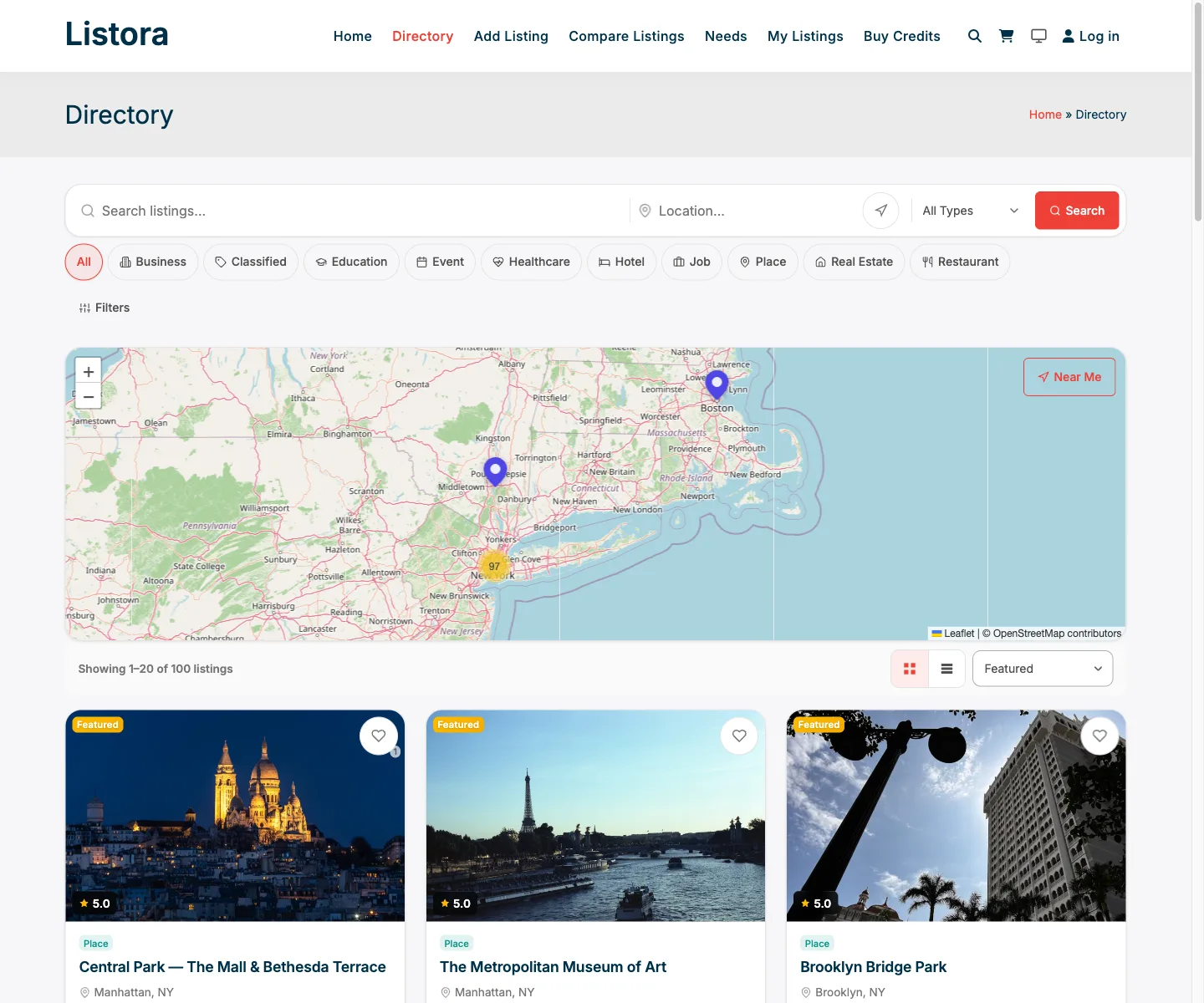
Search the directory
Filter by type, drag the map, and use Near Me. The results come from an index table rather than meta queries, which is the difference you are meant to feel.
-
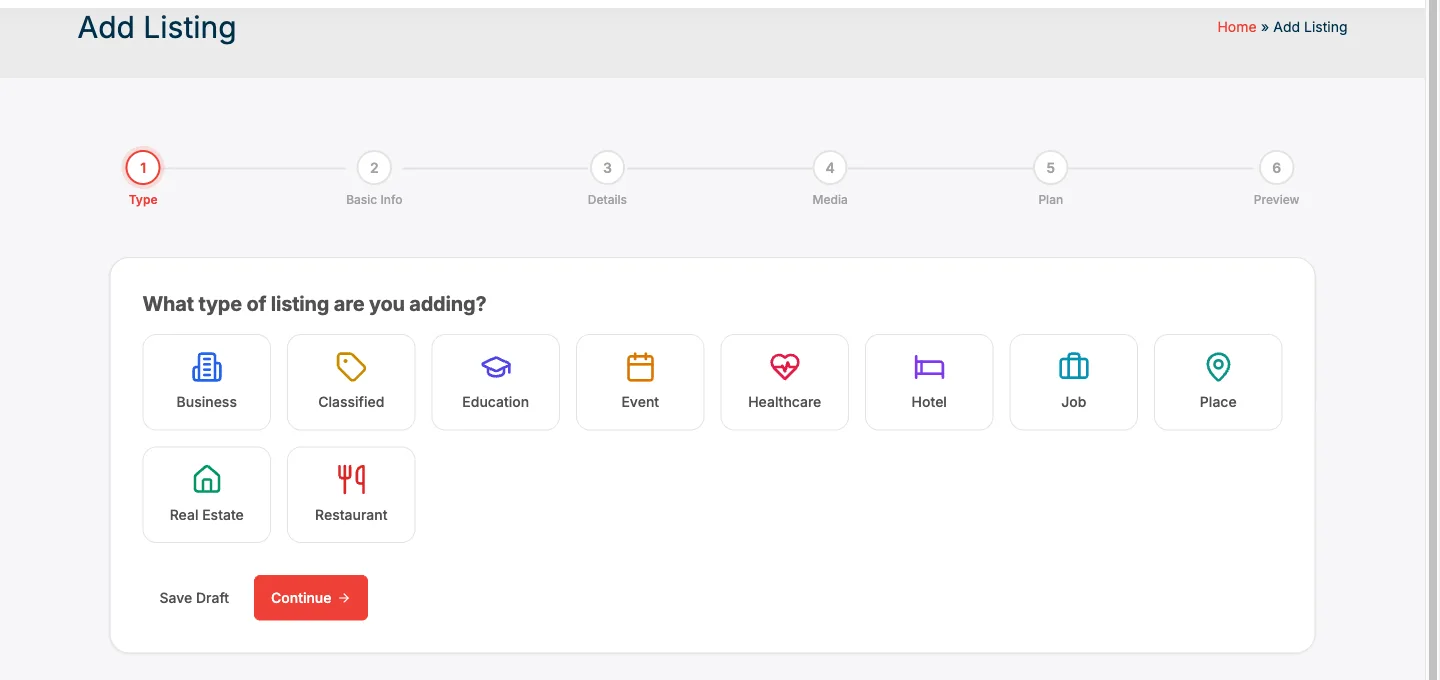
Submit a listing
Add Listing runs the five-step wizard: pick one of ten listing types, fill in the fields for that type, drop a map pin, add photos.
-
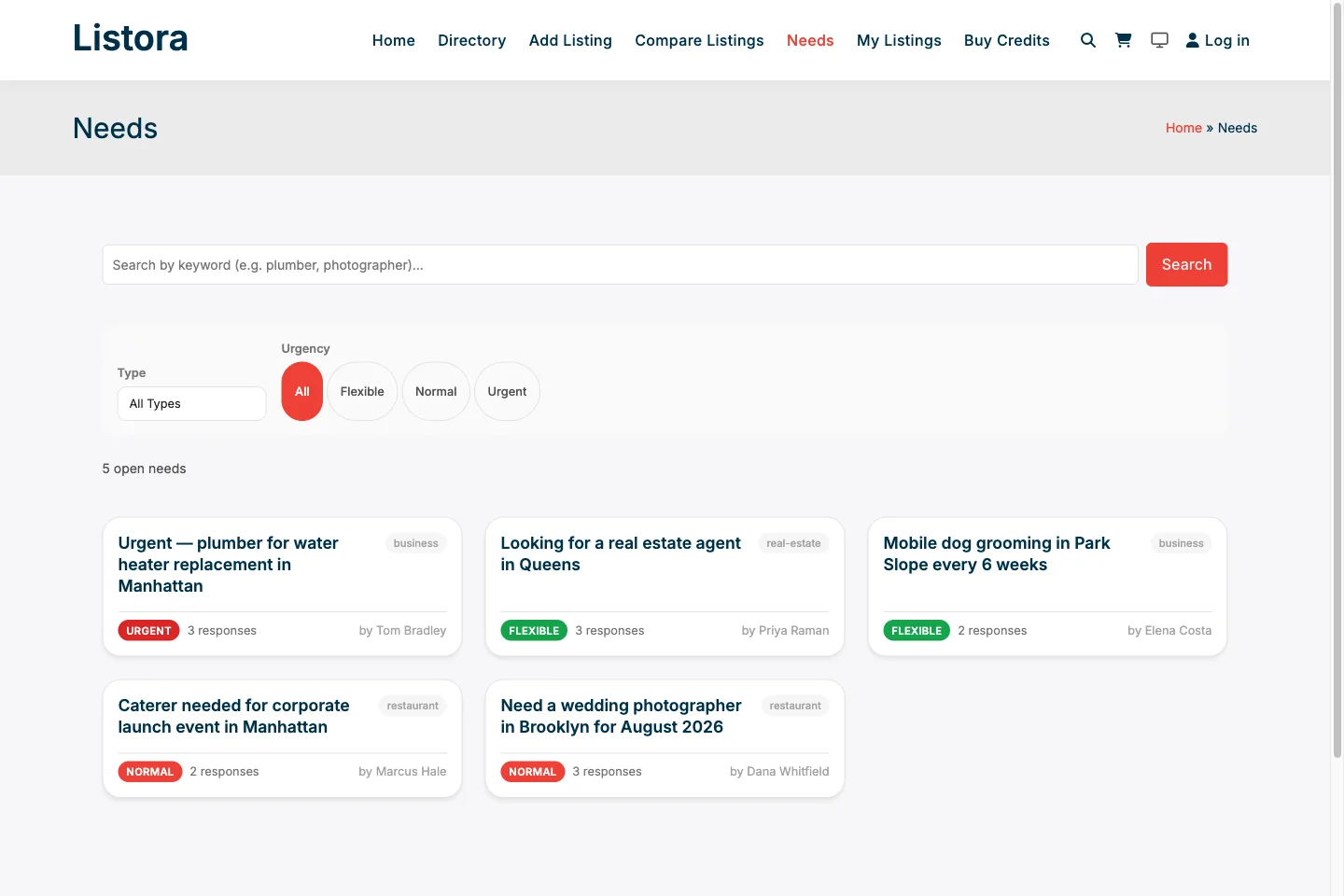
Post a need
The Needs Marketplace runs the directory backwards - a buyer posts what they want and vendors answer with quotes.
-
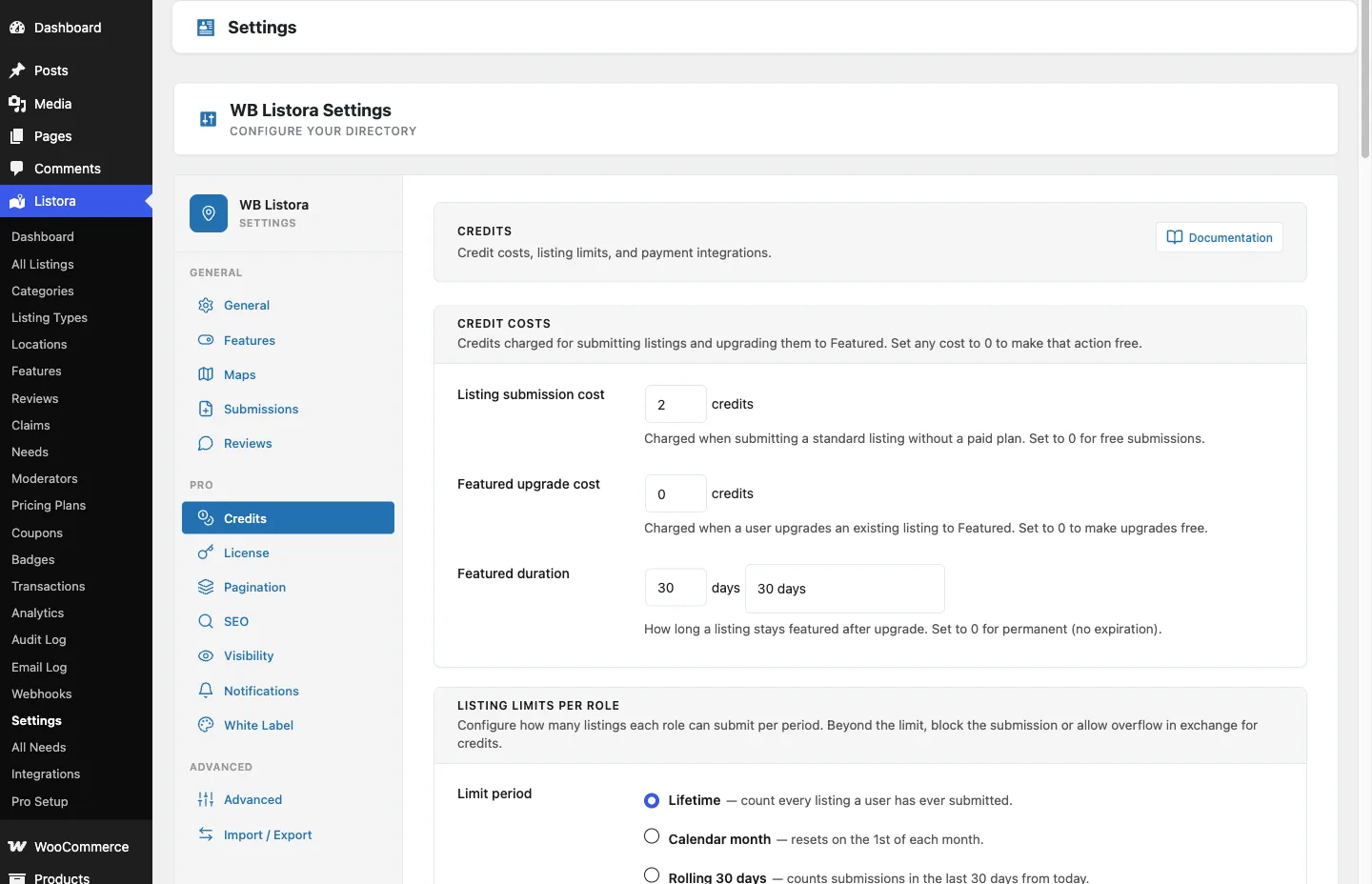
Look at the admin
You get a WordPress admin login, so open Listora then Settings and see the credit costs, listing limits and moderation queue an owner actually configures.
What the sandbox will not show you
It is a fresh install with demo content. Whatever Pro screens it shows - credit plans, lead capture, verification badges, the Needs Marketplace - are there to look at rather than to run a business on. Taking real payments needs Stripe or PayPal keys or one of the payment plugins, which a four-hour sandbox is the wrong place to configure. And it holds demo listings, not the traffic and data a real directory carries.
If you would rather run it properly, install the free plugin on your own site. It has no timer.